The app for interest-based communities

The right community,
less noise.

Olachat, or Ola for short, is where people who care about the same things meet. Join groups about what you love, read posts worth reading and chat with people who get it.

Free on iOS and Android, with Premium available in the app. For ages 13 and over.

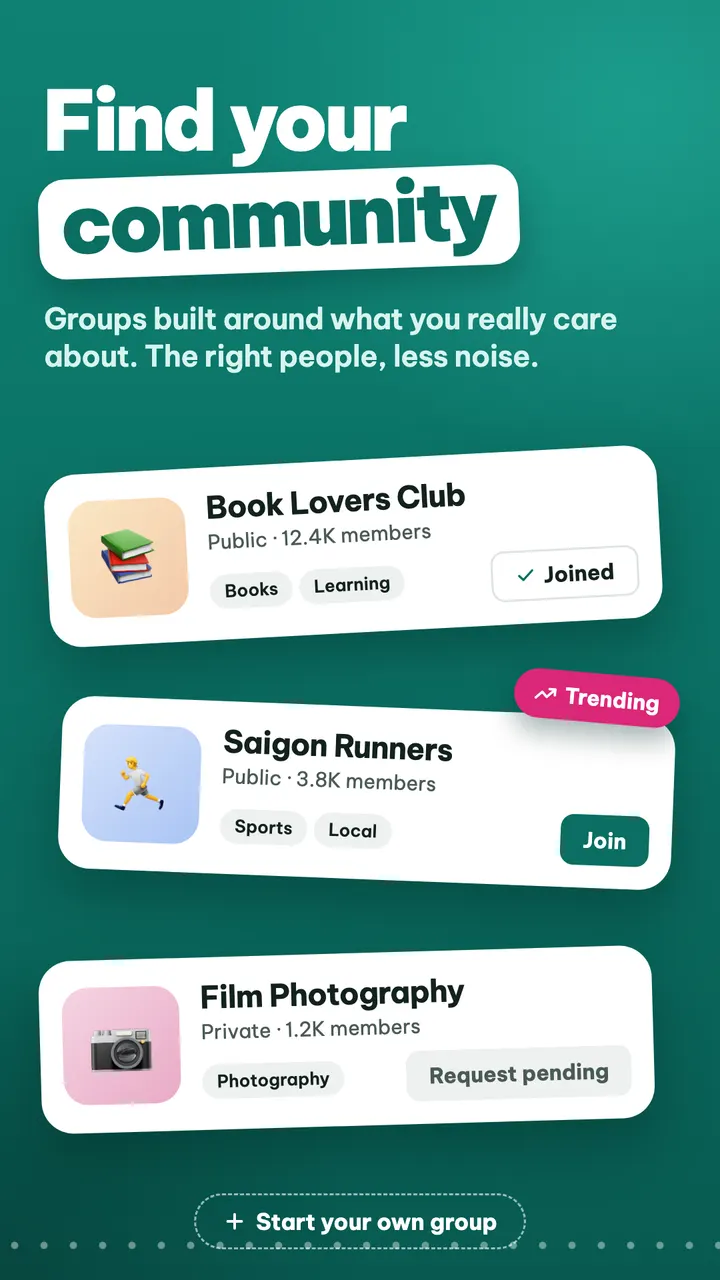
Olachat screen listing groups: Book lovers, Saigon runners, Film photography

Groups come first

Every community gets its own space, its own rules and its own leaders.

A feed without the noise

Posts from friends, people you follow and your groups, with a few clearly labelled suggestions.

Safety built in

Reporting, blocking, two levels of moderation and extra protection for under-18s.

Get started in three steps

  1. Sign in

    Use your Apple or Google account and pick a display name. No phone number needed.

  2. Find your groups

    Browse 20 topics such as Books, Coffee, Travel and Music, or open a link a friend sent you.

  3. Join in

    Read, comment, share your own posts and chat with people who share your interests.

Everything a community needs

From finding each other to talking every day.

Groups

Find your community

Groups built around what you really care about. Each one can be public, private or hidden, depending on how the community wants to run.

  • Public, private or hidden groups
  • Post anonymously in groups that allow it
  • Start a group of your own
A list of groups on Olachat, including a trending one

Explore

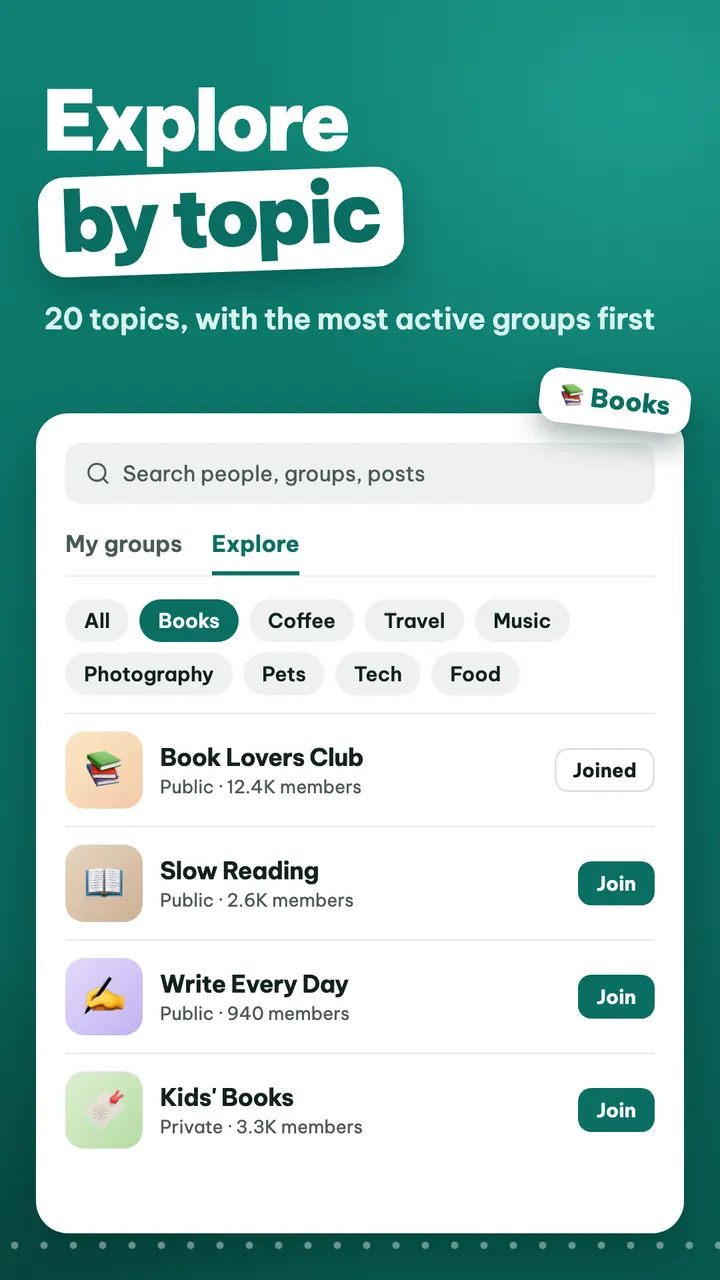
Explore by topic

20 fixed topics help you find good places to join, with one search for people, groups and posts.

  • 20 topics, up to 3 per group
  • Search people, groups and posts in one place
  • Your recent searches are saved
Exploring groups by topic on Olachat

Feed

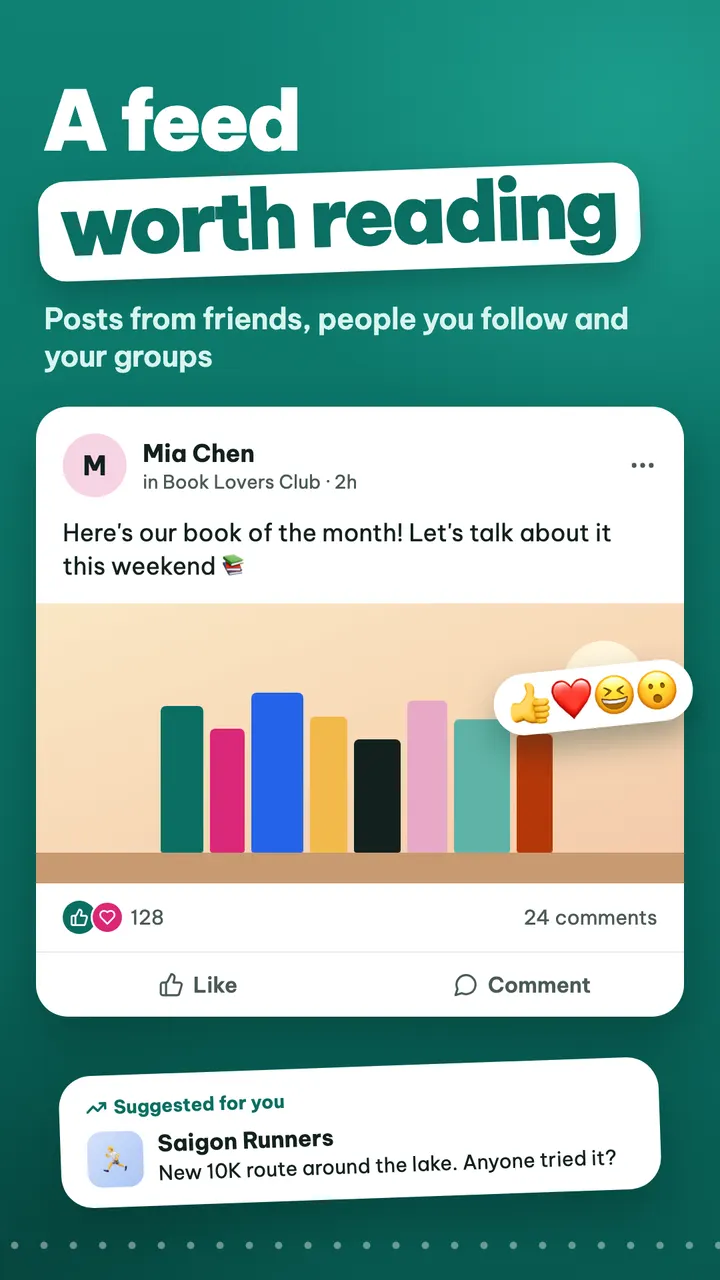
A feed worth reading

Your feed puts the people and groups you chose first. Suggested posts are always labelled as suggestions.

  • Posts with photos, comments and reactions
  • Share publicly, with friends or only with yourself
  • Turn comments off when you want quiet
The Olachat feed with a post and a suggested post

Chat

Chat with your group

Message one-to-one, chat inside a group or start a private group chat with friends.

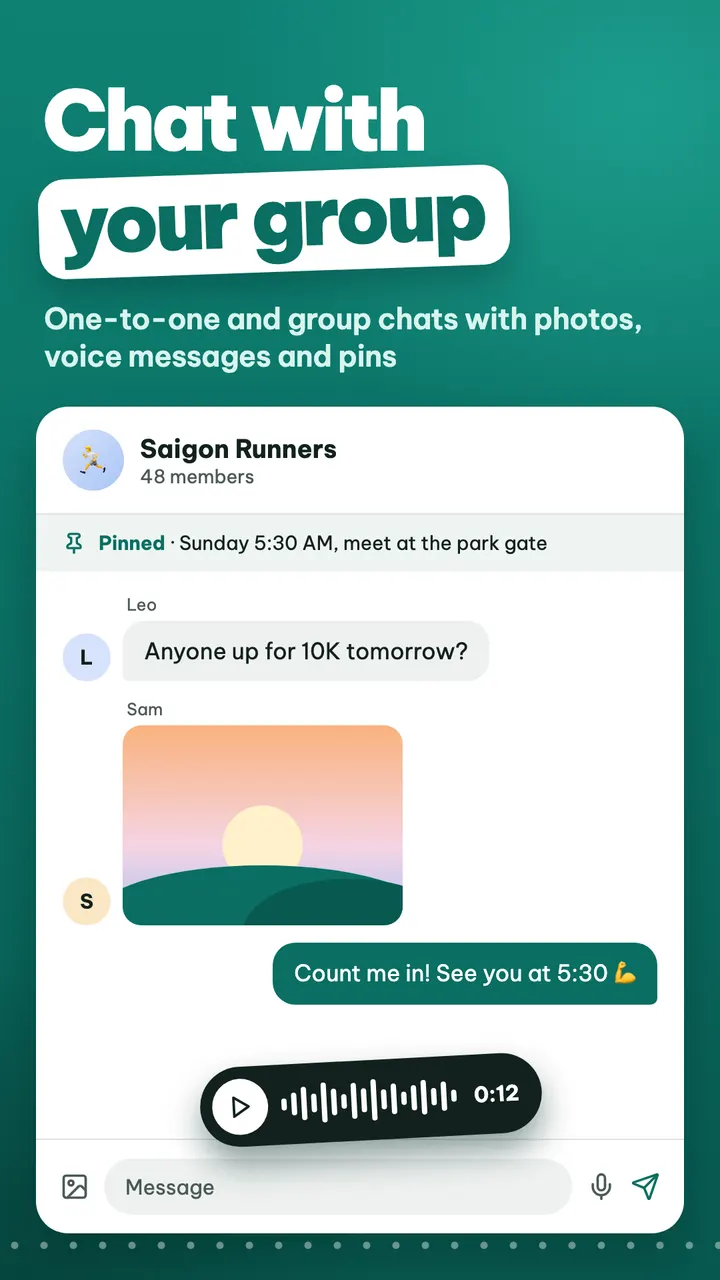
  • Send photos, voice messages and your location
  • Reply to any message and react to it
  • Pin what matters; strangers go to Message requests
A group chat on Olachat with a pinned message, a photo and a voice message

Connect

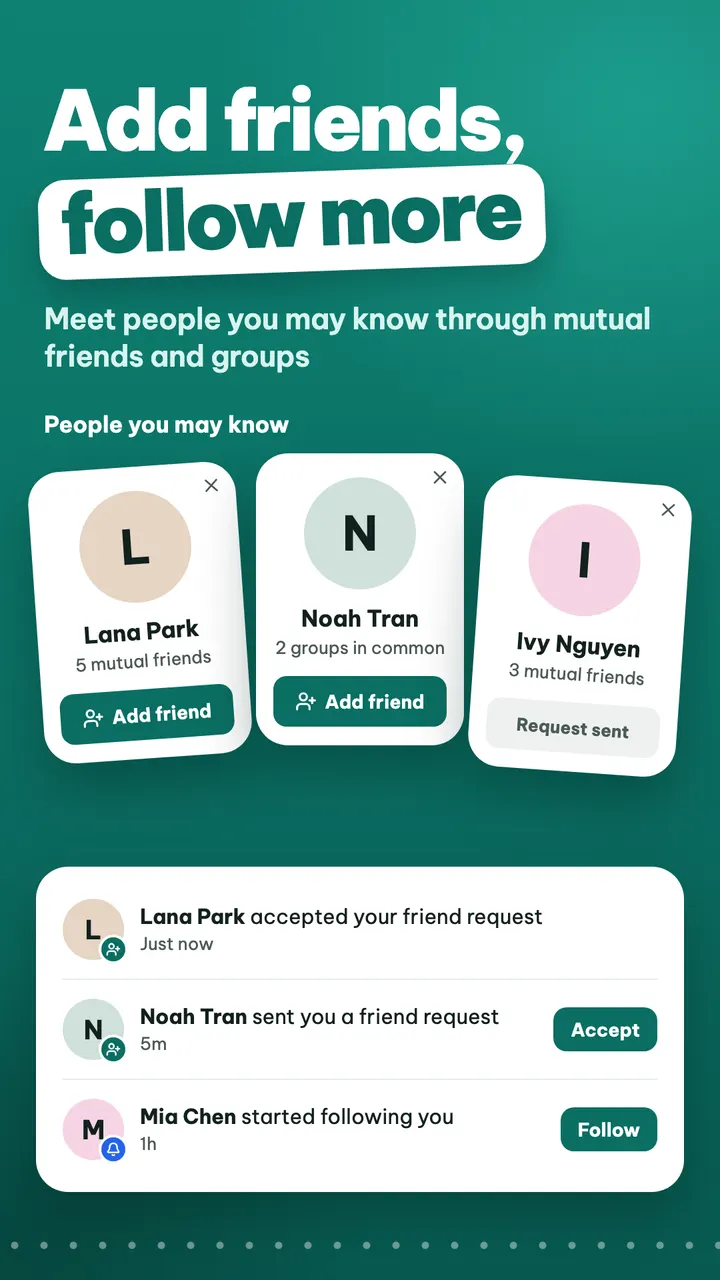
Add friends, follow more

Add friends both ways, or simply follow the people whose posts you want to read.

  • Suggestions from mutual friends and groups
  • No contacts access; location only when you send it in a chat
  • Fewer notifications, muted by category
Friend suggestions and notifications on Olachat

Share

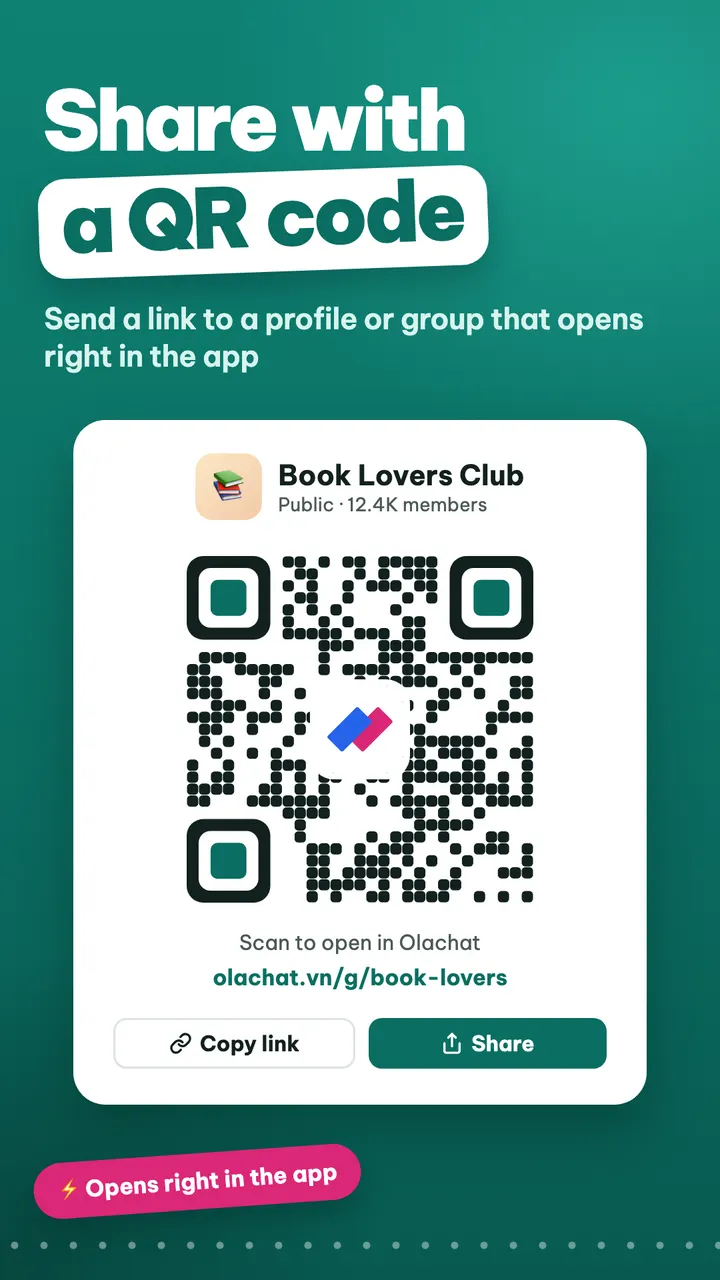
Share with a QR code

Every profile and group has its own link and QR code. Tap or scan it to open Olachat right there.

  • olachat.vn/u/… links for profiles
  • olachat.vn/g/… links for groups
  • Hidden groups are invite-only
A QR code for sharing a group on Olachat

Leaders

Tools for community leaders

Keep your community high quality with admin tools made for organisers.

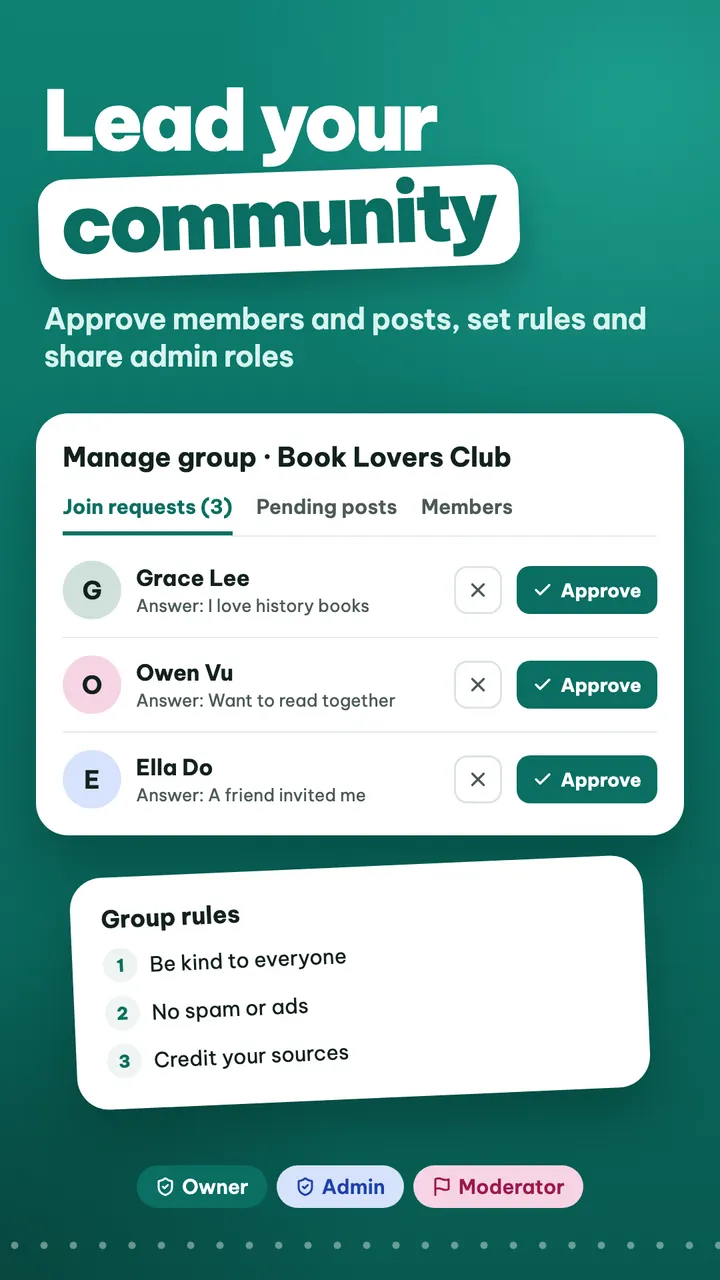
  • Approve members and posts, pin and sort by topic
  • Allow anonymous posts, limit posts per day
  • Pause or dissolve a group when needed
Group admin tools on Olachat: member requests and group rules

Safety

Safe for everyone

You decide who can reach you, and anything that breaks the rules can be reported.

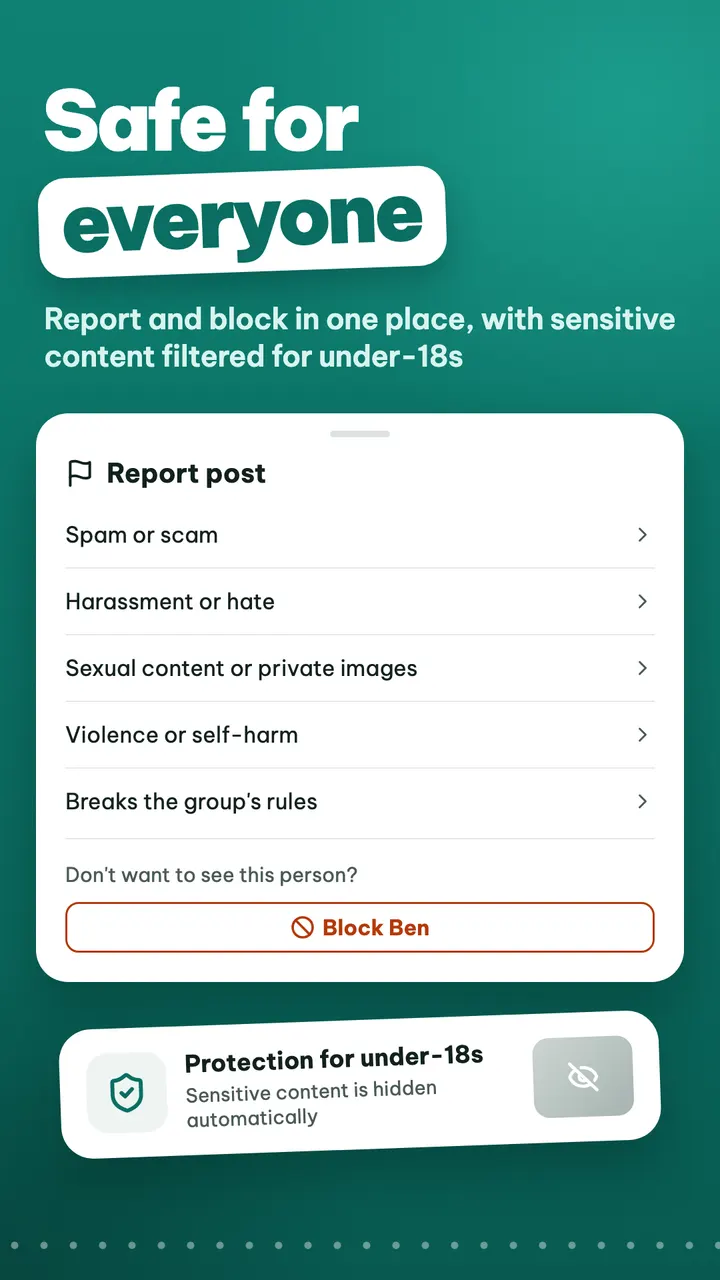
  • Report posts, comments, messages and accounts
  • Block: neither of you sees or messages the other
  • Sensitive content filtered for under-18s
Report and block options on Olachat

Frequently asked questions

What is Olachat?

Olachat (Ola) is a community app built around interest groups. You join groups, read and share posts, chat one-to-one or in groups, add friends and follow people.

Is Olachat free?

Yes. Olachat is free and shows ads. Full-screen ads never appear while you are chatting or writing. You can buy Olachat Premium in the app for more.

What is Olachat Premium?

An optional subscription bought in the app through the App Store or Google Play, weekly, monthly, every 3 months or every 6 months. Premium removes ads, lets you send photos and voice messages in chat, create your own groups and post photos right away, and adds a crown badge. It renews automatically; cancel any time in your App Store or Google Play account settings.

Who can use Olachat?

Anyone aged 13 or over. People under 18, or who have not told us their age, do not see sensitive content and can only message friends one-to-one.

How do I sign in?

With your Apple or Google account. When you sign up, Olachat only asks for a display name.

Can I create a group?

Yes, with Olachat Premium. If you lead a community and would like to bring it to Olachat, get in touch.

What if someone bothers me?

You can block or report them in the app. Group admins handle issues inside their group, and the Olachat team can restrict or ban accounts that break the rules.

How do I delete my account?

Go to Settings → Account in the app. Your account is permanently deleted after 30 days; signing back in during that time cancels the deletion.

Your community is waiting

Download Olachat and find people who share your interests today.

Need help?

Read the common questions or send us an email, and we will get back to you as soon as we can.